The alpin-cert-tool d.3one app
Alongside the alpinCertificateTool REST API and the alpinCertificateClient updater script, you get access to a management web app, alpin-cert-tool d.3one app. Once you've subscribed to alpinCertificateTool and installed the app, it becomes available from your d.3one Configuration Dashboard (see Architectural Details). It shares the same encrypted storage as the main platform, and covers the two things you occasionally need to do by hand rather than from a script: managing your user keypair, and inspecting the audit trail of accounts, domains, and certificates recorded against your user.
It has two pages, reachable via the Configuration and Audit Log tabs.
Configuration
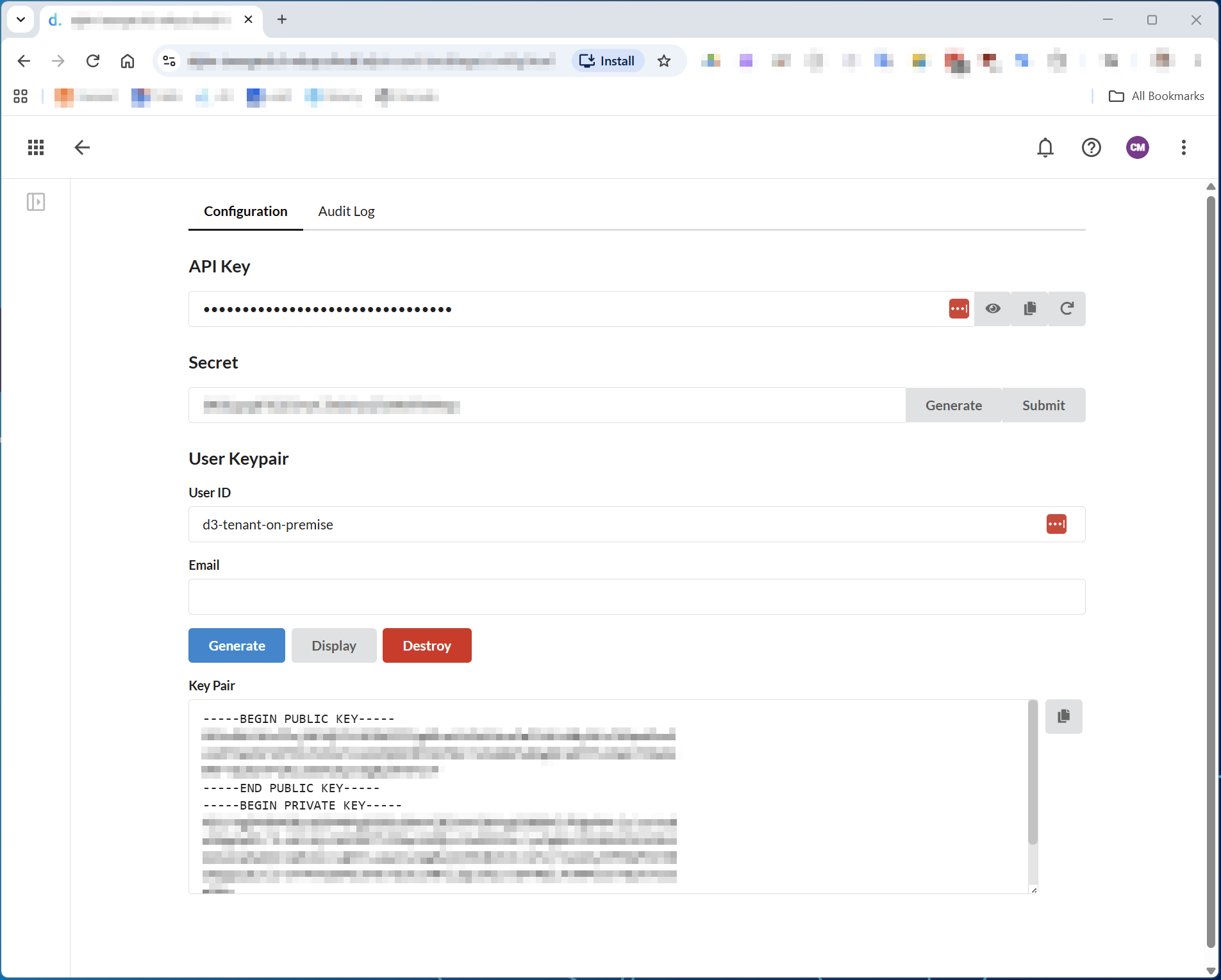
- API Key — the key your alpinCertificateClient configuration
(
config.json, see Client Documentation) uses to authenticate against the REST API. It's masked by default; use the eye icon to view it, the copy icon to copy it, or the regenerate icon to issue a new one — regenerating immediately invalidates the old key, so update everyconfig.jsonthat references it before doing so. - Secret — the zero-knowledge security key described in
Architectural Details. Click
Generate as often as you like until you're happy with the result — each
click produces a new, truly random 32-byte secret. Once generated, it's
your sole responsibility to keep a safe copy of it on your own premises:
you'll need to pass this same value as
SECRETon every alpinCertificateClient call, and without it, nobody — not even us — can decrypt the key pairs alpinCertificateTool manages on your behalf. Once you have a secret you want to keep, click Submit to hand it to the webapp — this is what lets the User Keypair operations below actually decrypt/encrypt your keypair. The webapp only ever keeps it in transient memory for the duration of your current interactive session; it's never persisted, so you'll need to submit it again every time you come back to use the webapp for a keypair operation. - User Keypair — your ACME account keypair, generated once per user and
reused across every Certificate Authority account you create through it.
- User ID — your user identifier as assigned on the alpinCertificateTool platform.
- Email — an address where you can be reached; Certificate Authorities require this on registration.
- Generate creates your User Keypair, stored on the platform encrypted under the secret you submitted above. If you lose that secret, this keypair can't be recovered.
- Display decrypts your keypair using the submitted secret and shows it, unencrypted, in the Key Pair box below (PEM-encoded public key followed by private key) — you can use it with any other ACME tool if you want to interact with your Certificate Authority accounts outside of alpinCertificateTool.
- Destroy permanently deletes the stored keypair — any accounts or certificates issued under it can no longer be managed, and you'd need to generate a new keypair and start over.
Audit Log
The Audit Log tab has three sub-tabs — Accounts, Domains, and
Certificates — one per entity our platform records to whenever an
account, domain, or order-complete call succeeds (see
Architectural Details). All three are read-only,
searchable, sortable, and paginated where the result set is large enough to
need it; none of this data can be edited from the app.
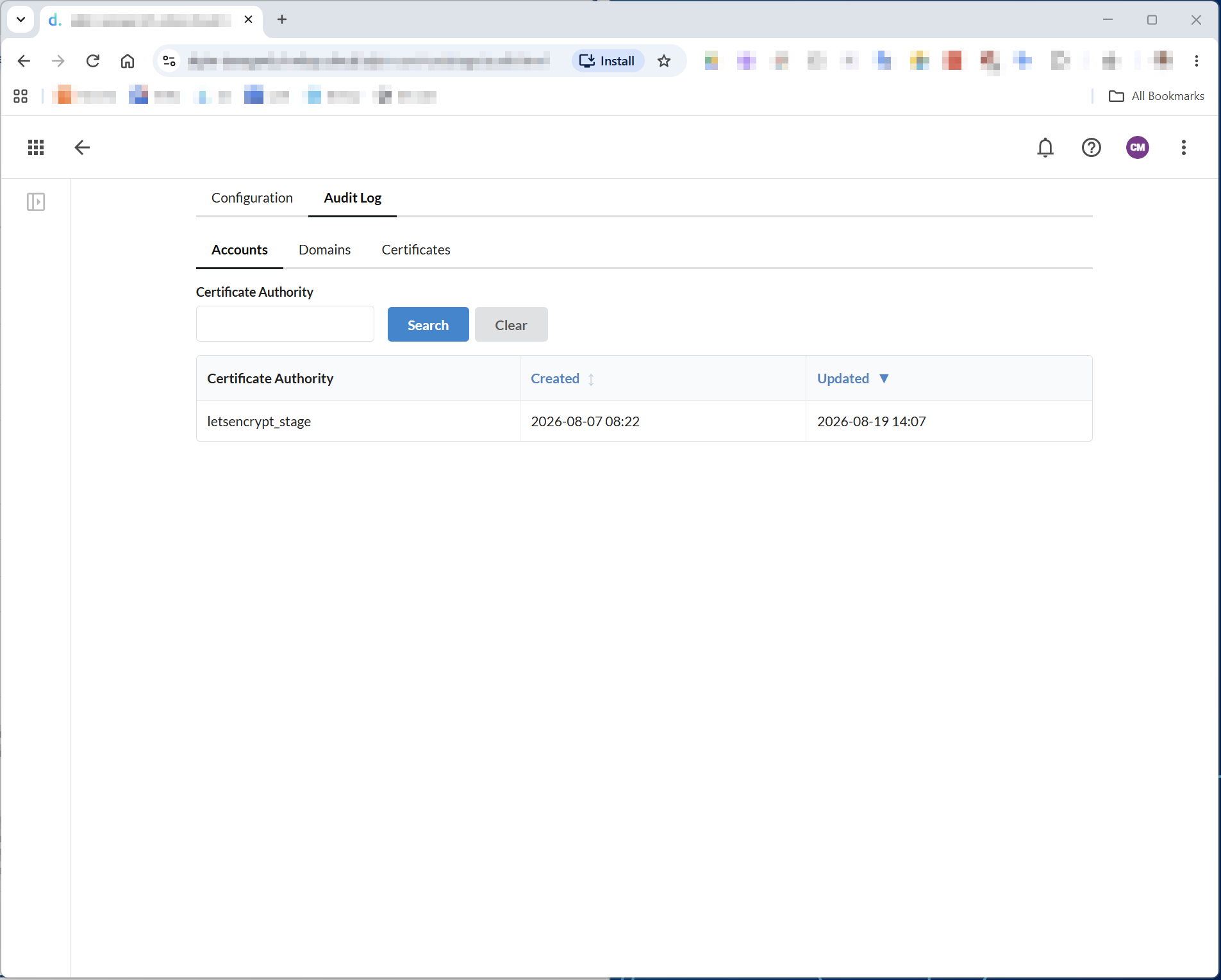
- Accounts — one row per Certificate Authority account you've created, filterable by Certificate Authority. Created is when the account was first registered; Updated changes every time the CLI/client reconfirms that account still exists, which happens automatically before each order.
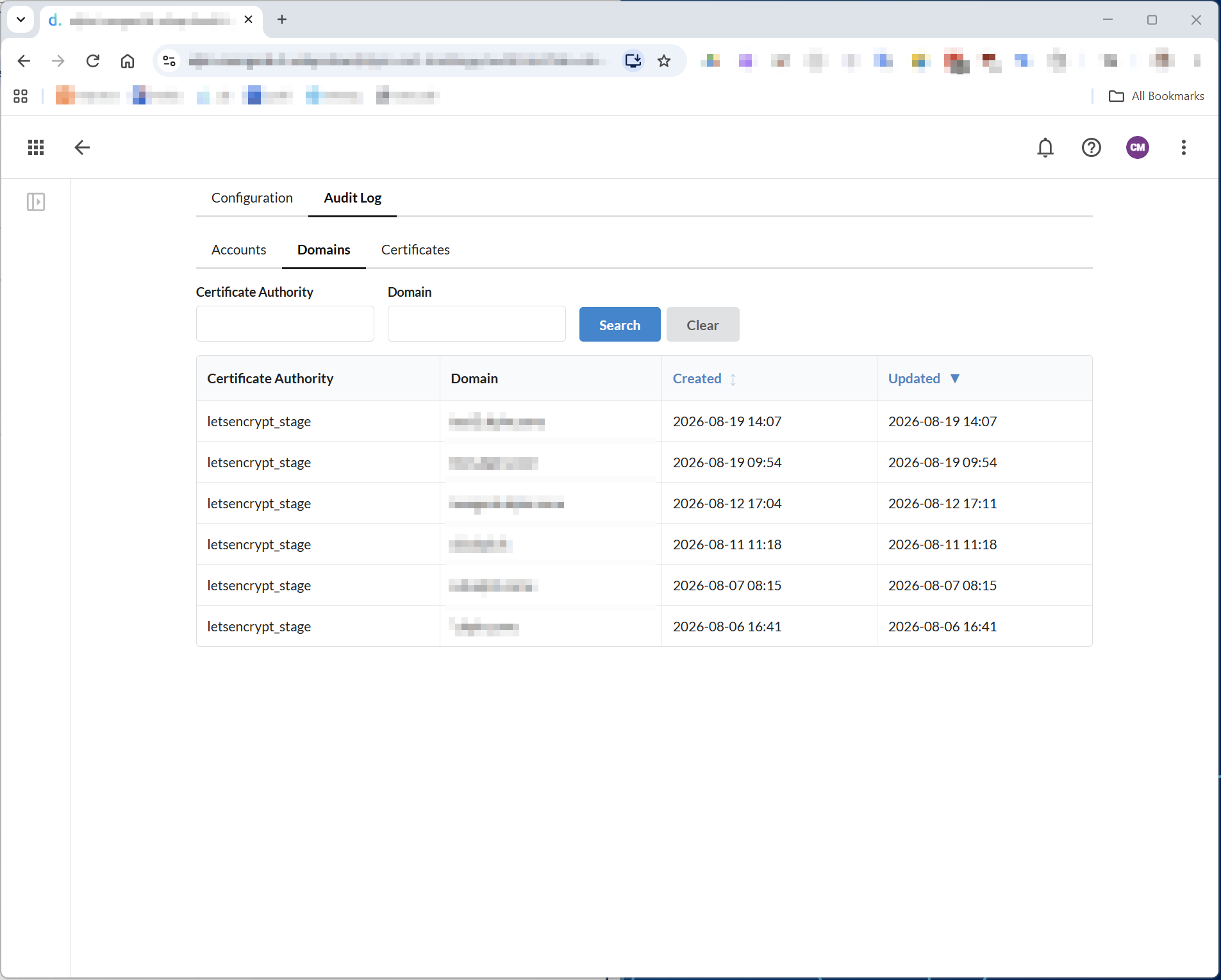
- Domains — one row per
(Certificate Authority, domain)pair you've runsetup/domainfor, filterable by Certificate Authority and Domain. As with accounts, Updated reflects the last time that domain's setup was reconfirmed.
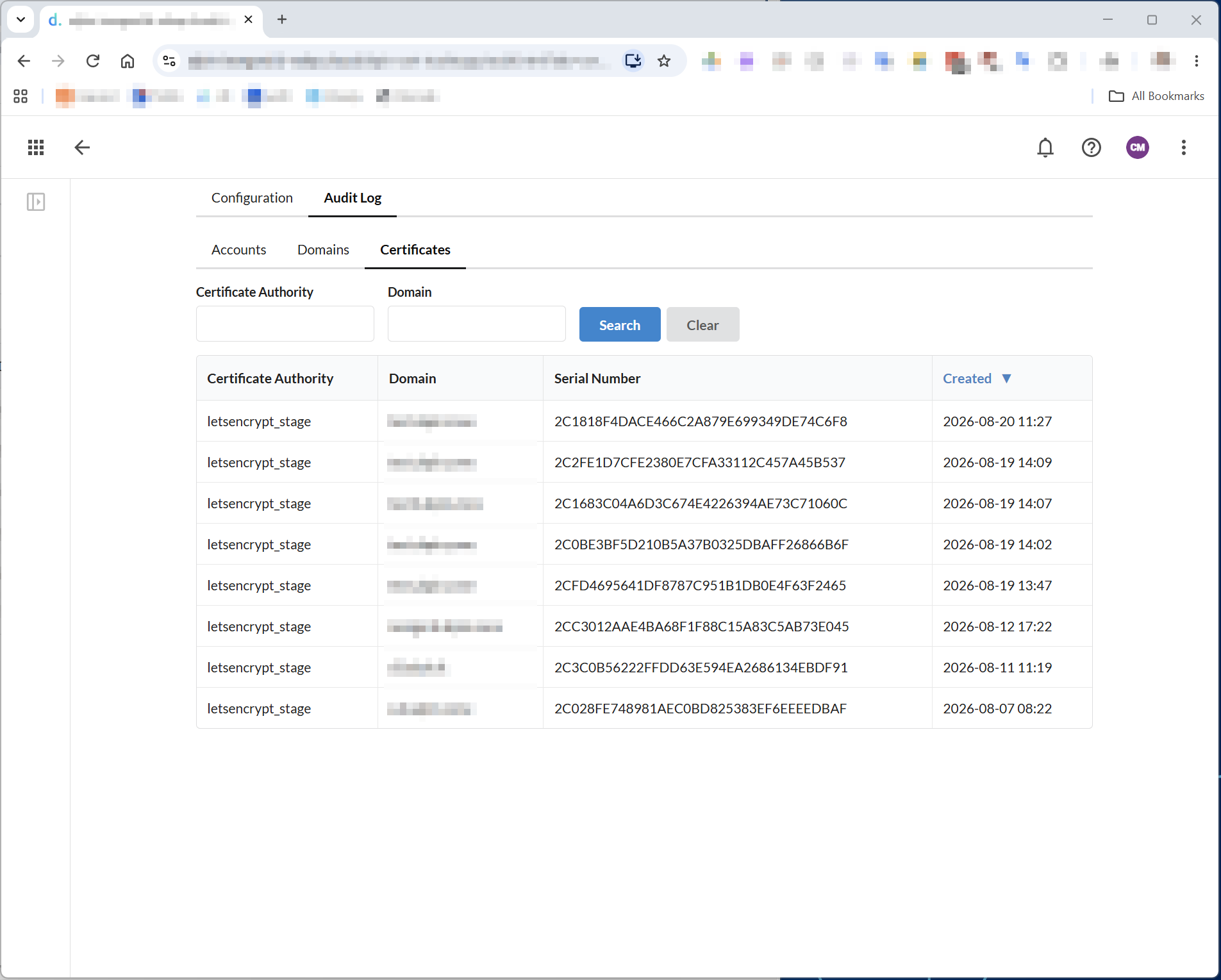
- Certificates — one row per certificate actually issued or renewed
(
order-complete/order-auto), filterable by Certificate Authority and Domain. Serial Number is the certificate's own serial number as assigned by the Certificate Authority, useful for cross-checking against a certificate you already have in hand — for example, to confirm that the file on a server is the one this log says was most recently issued for that domain.